

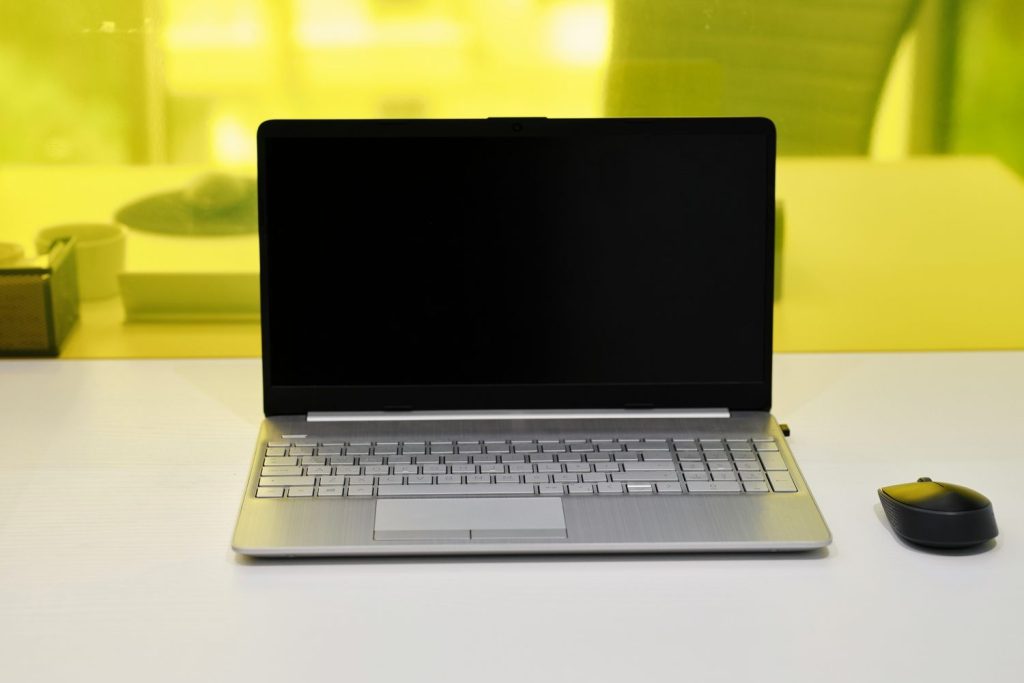
Review of the LG Gram 14 (2026)

Updated 14 September 2026. This is a specifications-based review and buying guide, not a new hands-on benchmark test.
A laptop for travelling needs to be easy to carry, comfortable to work on and suitable for the applications that pay your bills. The LG Gram 14 deserves a place on that shortlist because portability is central to its design. But “Gram 14” is a family name, not one fixed specification.
The earlier version of this review mixed an 11th-generation product link, a 12th-generation processor and newer software claims. This update uses the 14Z90Q-K.AAB7U1 as its reference configuration. LG lists that model as discontinued. A listing that repeats these specifications should not be described as a newly released 2026 laptop.
For comparison, the older 14Z90P model linked in the original review is an 11th-generation configuration. Read the full model number before comparing prices. Our question here is whether the older 14Z90Q generation still makes sense for a remote worker at the price and condition actually offered.
LG Gram 14 Review: Specs Overview
LG’s official US reference page lists the following core specification. Regional suffixes can change memory, storage and other details.
| Component | Reference configuration |
|---|---|
| Processor and graphics | 12th-generation Intel Core i7 platform, integrated Intel Iris Xe graphics |
| Memory | 16 GB LPDDR5, listed at 5200 MHz |
| Storage | 512 GB NVMe SSD |
| Display | 14-inch 1920 × 1200 IPS, 16:10, non-reflective finish |
| Colour gamut | DCI-P3 99% typical, 95% minimum, as specified by LG |
| Operating system | Windows 11 Home |
| Availability | Discontinued on LG’s US reference page |
Do not assume that a seller’s photograph identifies the configuration. Ask for the complete model code and installed memory and storage. A used machine can have a replacement SSD, a worn battery or a different keyboard layout from the original product page.
LG Gram Portability & Build Quality
The attraction of a Gram is carrying less weight between apartments, airports and coworking spaces. The magnesium-alloy design aims for portability, but include the charger, sleeve and any adapters when comparing your actual travel load. A light laptop with an awkward charging setup may save less space than expected.
LG documents controlled MIL-STD-810G testing for the reference generation. That is not a promise that every drop or spill will be harmless, and it is not the newer 810H claim in the old article. Use a protective sleeve and avoid putting pressure on the display inside an overpacked bag.
Keyboard and touchpad feel are personal. If possible, try a typing session before buying. On a used unit, check each key, the backlight, click response, hinge and palm rest. A comfortable layout matters more than a promotional description when you spend hours writing or answering clients.
Battery Life
The original article’s 12–14-hour “real-world” range was not supported by a test we could reproduce. It should not be treated as a fresh measurement or a guarantee for a second-hand laptop. LG’s published endurance tests use defined conditions, including a separate video-playback setup; they do not reproduce every remote workday.
Video calls, screen brightness, background syncing, Wi-Fi and heavier applications affect battery use. An older battery adds another variable. Before travelling, run your own normal workload on battery and leave a margin for delays rather than planning around a best-case figure.
For a used purchase, request a recent Windows battery report and compare full-charge capacity with design capacity. Ask whether the battery has been replaced and whether replacement service is available where you live. Budget for the possibility that an inexpensive laptop needs a new battery sooner than a new one.
Check the charger and USB-C power requirements for the exact model. A power bank needs an appropriate USB Power Delivery output and cable; merely having a USB-C socket does not make it suitable for charging a laptop. Confirm airline rules separately for carrying a power bank.
Performance
The reference model targets everyday productivity. Writing, spreadsheets, browser-based work and video meetings are the natural tasks to evaluate first. That does not establish that every heavy multitasking session or creative project will be smooth on your particular configuration.
Integrated graphics are a different proposition from a dedicated workstation GPU. If you edit long videos, use complex 3D applications or play demanding games, compare the actual software requirements with more performance-focused laptops. For occasional photo work, test representative files and exports instead of relying on a generic “i7” label.
We have not run a current benchmark suite, fan-noise measurement or thermal test. The earlier claim that the laptop stays cool and quiet under every heavier workload was too broad. Power mode, room temperature, dust and the task all influence fan behaviour and performance.
Before purchase, identify whether the installed RAM can meet your workload over the next few years and verify upgrade options through the model’s support documentation. Do not buy on the assumption that every component can be upgraded later.
Display & Audio
The 16:10 display provides useful vertical room for documents and websites. Its non-reflective finish can help with reflections, but it does not guarantee comfortable outdoor use in direct sun. Screen brightness, your seating position and the surroundings still matter.
Wide advertised colour coverage is not the same as an individually calibrated display. Colour-critical work needs appropriate calibration and a workflow suited to the finished output. Check for dead pixels, uneven backlighting and marks on a used screen before the return window ends.
For video calls, test the microphone, camera and speakers together in a quiet room. A headset can be more practical in shared accommodation. We are not attaching a new listening score or claiming a particular bass response without testing the unit.
Ports & Connectivity
Port flexibility is one reason to consider this generation. Check the exact listing for USB-C/Thunderbolt, USB-A, HDMI, microSD and the audio connection, especially if you use an external screen, storage or a wired headset. The old article’s “5 mm” headphone-jack description was incorrect; the conventional audio connection is 3.5 mm.
Regional hardware details matter. LG’s Australian 14Z90Q reference lists Bluetooth 5.1, so the previous blanket Bluetooth 5.3 claim should not be applied to the whole generation. Confirm the wireless adapter and driver support for the unit you will receive.
Bring the peripherals you actually use to a return-window check. Confirm external-monitor resolution and refresh behaviour, charging while connected to a dock, and access to your storage cards. A microSD slot does not accept a full-size SD card without a separate reader.
Software & Features
The reference US model shipped with Windows 11 Home. On a used laptop, verify activation and install the appropriate security and driver updates from official sources. Remove the previous owner’s accounts through a proper reset before using the machine for client work. Check any remaining third-party apps and remove software you do not need.
LG Smart Assistant and other utilities vary by model. Do not assume that LG Gram Link, Gram Chat AI or a complimentary AI subscription is included with an older 14Z90Q just because those features appear in advertising for a newer Gram. Confirm compatibility and any subscription entitlement using the exact support page.
For work, prioritise disk encryption, backups, a password manager and your employer’s access requirements over optional promotional software. Keep recovery information available securely in case a laptop fails while you are abroad.
Pricing & Value
There is no reliable single “2026 starting price” for this discontinued configuration. The previous $1,249–$1,599 range was a dated claim and should not anchor a current purchase. Compare live offers for the same model, condition, warranty and return rights on the day you buy.
Build a total ownership budget: purchase price plus any missing charger, battery service, storage requirement and adapters. Then compare that total with a current laptop offering similar memory and a usable warranty. An old premium model is not automatically better value than a newer midrange machine.
For example, a hypothetical $600 refurbished offer that needs $150 of accessories or service costs $750 before any delivery or tax. Those are illustrative allowances, not market quotes. Use the same arithmetic with the seller’s real numbers.
Compare alternatives such as an Apple MacBook Air or Dell XPS only after matching your operating-system needs, software, memory and warranty. Brand names alone do not settle the decision. For remote workers, dependable repairs and returns can be worth more than a small saving.
Ideal Use Cases
This older Gram generation is most plausible for someone prioritising a light Windows laptop for writing, administration and browser-based work. It may also suit a student or frequent traveller who finds a well-kept unit at an appropriate price.
It is a less obvious choice if your work depends on high sustained graphics performance, a touchscreen or a guarantee of long battery endurance without replacing an ageing battery. Check those requirements before being persuaded by the low weight.
Pros & Cons
Pros
- Portability-focused design for regular travel.
- Useful 16:10 display format for documents and web work.
- A range of physical connections to check against your peripherals.
- Potential value when price, condition and warranty are right.
Cons
- The reference configuration is discontinued.
- Battery condition and seller support matter on older stock.
- Integrated graphics do not replace a dedicated workstation GPU.
- Newer Gram software claims may not apply.
Final Verdict
The LG Gram 14 can still be worth considering as a lightweight productivity laptop, but buy the exact configuration and condition, not a year added to a headline. For the 14Z90Q, current value depends on the offer, battery, warranty and your workload.
Before paying, confirm the model code, memory, battery report, charger, keyboard layout, return policy and repair options. That checklist will tell you more about whether it belongs in your backpack than an unsupported promise of all-day performance.







Responses